
Versions & rollback
Every successful deploy records a new version of the stack: the full
docker-compose.yml content and a JSON snapshot of its environment variables.
Browsing the history
Section titled “Browsing the history”| Interface | How |
|---|---|
| Web | ⋮ STACK → Versions |
| TUI | Select the stack, press v |
| CLI | kaio-cli stack versions my-db |
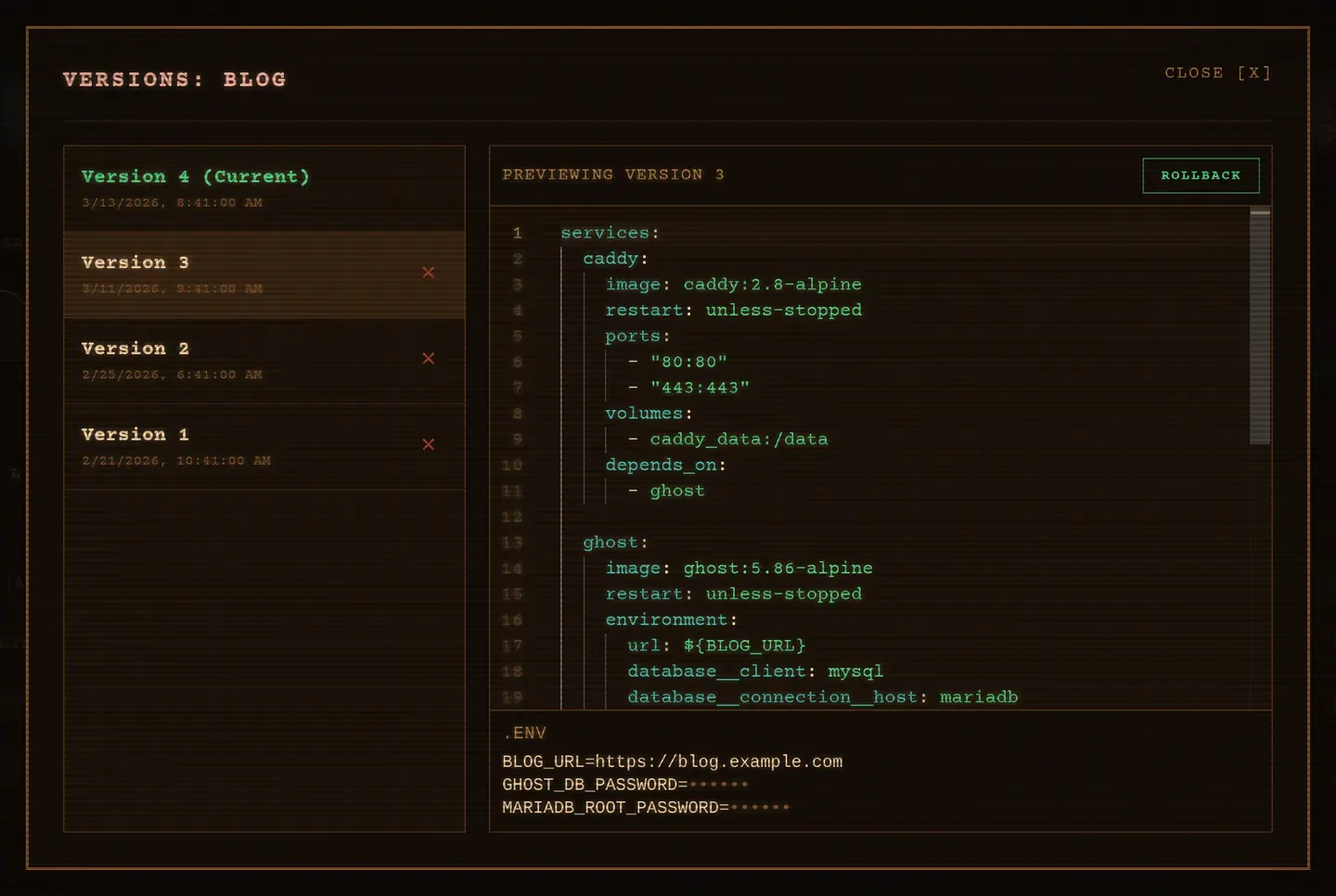
The dialog shows each version’s compose file and its .env with secrets masked.
Rolling back
Section titled “Rolling back”kaio-cli stack rollback my-db 3In the TUI, open the version history with v, then press r on the target
version. In the web UI, the Versions dialog has a rollback button per row.
A rollback restores both the compose file and the environment snapshot, then redeploys. It is itself a deploy, so it produces a new version: the history is append-only and you can always roll forward again.
Deleting a version
Section titled “Deleting a version”kaio-cli stack version-rm my-db 3TUI: d on the version row. This only drops the snapshot; the running stack is
untouched.
Where it is stored
Section titled “Where it is stored”Versions live in the stack_versions table (stack_id, version, content,
env_snapshot), indexed on stack_id. Nothing is written to disk beyond the
current compose.yml and .env. The history is entirely in SQLite, and it is
deleted with the stack.
Related
Section titled “Related”Kaio, built by Régis Gaidot